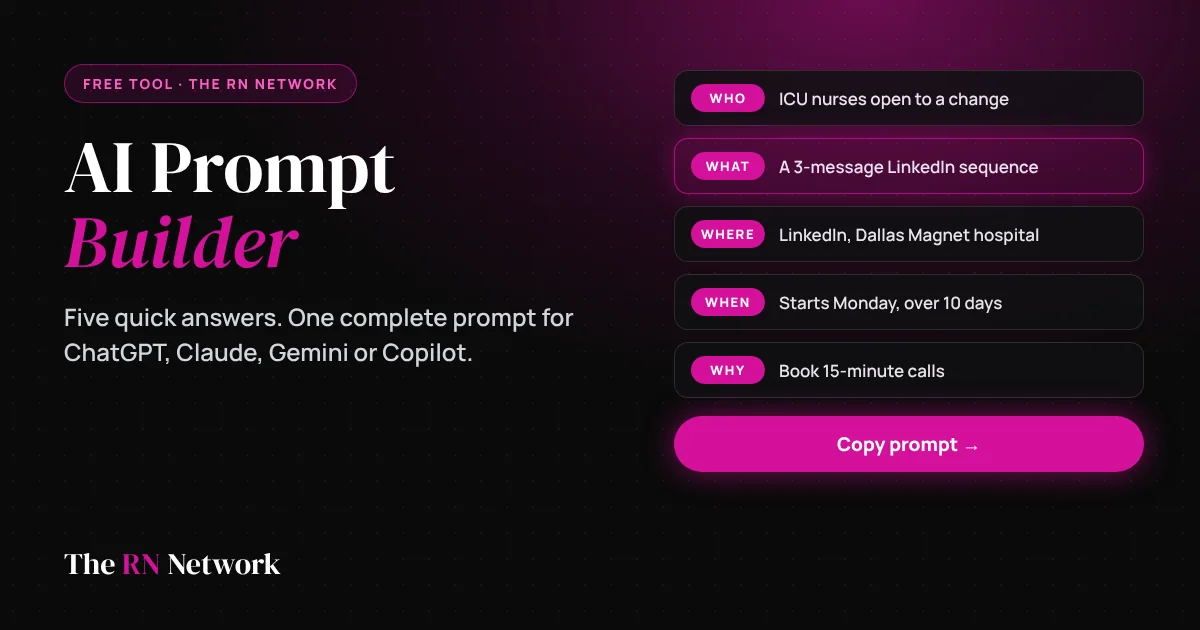
Free tool · AI Prompt Builder

Tired of AI answers that miss the point? Give it five answers first.

Tell us who it’s for, what you need, where it’ll be used, when it’s needed and why it matters. We turn your answers into a complete, structured prompt you can paste into ChatGPT, Claude, Gemini or Copilot. Built for nurses and recruiters. Works for anyone.

Build my prompt
Works with any AI About 60 seconds Nothing you type leaves this page
The RN Network AI Prompt Builder: answer who, what, where, when and why to get a complete prompt for any AI tool

Your five answers

The more specific you are, the better the AI’s first draft.

Try an example:

I am a…

Who Who is it for?

What What do you need?

Where Where will it be used?

When When is it needed, or what timeframe?

Why Why does it matter? What should happen next?

Fine-tune it Optional

Your prompt

Updates as you type.

0 of 5 answered

Unlock the full prompt. It’s free.

Keep it private. Never put patient health information, Social Security numbers, dates of birth or anyone’s private contact details into a public AI tool. Describe the situation in general terms instead.

What is the AI Prompt Builder?

The AI Prompt Builder is a free tool from The RN Network that turns five plain-language answers into a complete, structured prompt for any AI assistant. You tell it who the work is for, what you need, where it will be used, when it is needed and why it matters. It returns a prompt that gives the AI a role, the context, a clear task, the right format, your deadline, your goal and a set of quality rules.

You paste that prompt into ChatGPT, Claude, Gemini or Copilot and get a first draft you can actually use: a cover letter, talking points for a raise, a patient education handout, a staff announcement, a three-message recruiting sequence, interview questions or a study guide. No prompt-writing experience required, and no account to create.

Why we built it

AI is already part of healthcare work, but most nurses have not been taught how to get good results from it.

41%of nurses say they use AI at work, compared with 57% of physicians
46%of nurses say their organization is good at providing AI training
78%of nurses expect AI skills to become essential to clinician training

Elsevier, Clinician of the Future 2026: Nurses Edition, a survey of 692 nurses and 2,065 physicians across 118 countries, December 2025 to February 2026.

The gap is not access to AI tools. Most of them have a free version. The gap is knowing what to ask. A vague request like “write a cover letter” gets a generic answer that takes longer to fix than to write yourself. A complete request gets a usable draft in seconds.

The RN Network has served a community of thousands of nurses and the employers who hire them since 2009. This tool gives every nurse, nursing student, nurse leader and recruiter in that community the same advantage the best AI users already have: a prompt that leaves nothing important out.

How to use it in five steps

  1. Choose who you are. Pick nurse, nursing student, nurse leader, recruiter, hiring manager or something else. The builder sets an expert role and privacy rules that fit your work.
  2. Answer the five questions. Who it’s for, what you need, where it will be used, when it’s needed and why it matters. Tap a suggestion chip to fill one in fast, or load an example to see a finished set of answers.
  3. Fine-tune if you like. Set the tone and length, list anything the result must include and anything to avoid, and add details the AI should know.
  4. Copy or open your prompt. Copy it with one click, or open it directly in ChatGPT or Claude. For Gemini and Copilot, the prompt is copied and the tool opens so you can paste it.
  5. Review and refine. Read the first draft, then ask the AI for one specific change, such as “make it warmer” or “cut it to 100 words.” That second request is usually where the strongest version shows up.

Why five questions change the answer

AI fills every gap you leave with a guess. These five answers close the gaps that matter most.

WhoSets the reading level, the vocabulary and what the reader already knows.
WhatTurns “help me with this” into a specific deliverable with a clear shape.
WhereDecides format and length. A text message and a handout are not the same thing.
WhenAdds urgency, dates and timeframes, so the details come out right.
WhyGives the AI a goal, so every line pushes toward the result you want.

What’s inside every prompt

Each prompt follows the same proven structure, so the AI knows exactly what you want and how to deliver it.

RoleTells the AI who to be, such as a seasoned nurse executive or a senior healthcare talent partner.
ContextWho you are, your setting and any background the AI needs.
TaskThe exact deliverable and its format.
AudienceWho will read it and what they care about.
Where it’s usedFormat rules for the channel, from email subject lines to one-page handouts.
TimingDates, deadlines and timeframes the result must reflect.
GoalThe outcome you want, so every line works toward it.
RequirementsTone, length, must-includes, things to avoid, no invented facts and privacy rules.
How to respondThe AI asks up to three questions if something is missing, then delivers and suggests two improvements.

Prompt ideas to try today

Not sure where to start? Use one of these as your “What.”

For nurses

  • A cover letter for a new specialty or setting
  • Talking points for asking for a raise or a schedule change
  • A plain-language patient education handout (no patient details)
  • A polite reply to a recruiter you are not ready to talk to

For nursing students

  • A study guide with NCLEX-style practice questions
  • A new-grad résumé summary
  • A clinical-rotation thank-you note
  • Questions to ask in a nurse residency interview

For nurse leaders

  • A staff announcement about a change
  • A business case for additional FTEs
  • Stay-interview questions for your unit
  • An agenda for a staff meeting

For recruiters & hiring managers

  • A three-message outreach sequence
  • A candidate-focused job posting
  • Structured interview questions and a scorecard
  • A submittal summary from your interview notes

For everyone else

  • A weekly meal plan with a grocery list
  • A 30-day plan for a personal goal
  • A difficult email you have been putting off
  • A summary of a long document you’ll paste in

Five habits for better AI results

1

Be specific. Name the specialty, the setting, the shift and the outcome. Specific answers get specific drafts.

2

Show an example. Paste in something you wrote that worked and ask the AI to match its tone and structure.

3

Ask for one change at a time. Treat the first answer as a draft and refine it with short follow-up requests.

4

Verify every fact. AI can state wrong numbers, dates and rules with total confidence. Check anything that matters before you use it.

5

Keep private information out. No patient health information, Social Security numbers, dates of birth or private contact details in a public AI tool, ever.

Frequently asked questions

Which AI tools does the prompt work with?

Any chat-based AI assistant, including ChatGPT, Claude, Google Gemini and Microsoft Copilot. Copy the prompt and paste it into the tool you use, or open it directly in ChatGPT or Claude.

Is the AI Prompt Builder free?

Yes. Building prompts is free. Enter your email once to copy the full prompt, and you can keep building and copying in this browser at no cost.

Why ask who, what, where, when and why?

AI gives generic answers to vague requests. Telling it who the work is for, what you need, where it will be used, when it is needed and why it matters gives it the context to produce a usable first draft.

Do I have to answer all five questions?

No. The builder works with whatever you give it, and any question you skip shows as a placeholder in the prompt. The more you answer, the less the AI has to guess.

Does the builder send what I type to an AI or store it?

No. The prompt is assembled right in your browser. Nothing you type in the five answers is sent anywhere until you choose to paste it into an AI tool or open it in ChatGPT or Claude.

Should I put patient or candidate information into a prompt?

No. Never paste patient health information, Social Security numbers, dates of birth or anyone’s private contact details into a public AI tool. Describe the situation in general terms instead.

Can nurses use AI for patient care decisions?

No. Use AI for writing, studying and organizing your own work. Clinical decisions belong to licensed clinicians following their organization’s policies, and every AI answer should be checked before you rely on it.

Can recruiters use AI to screen or rank candidates?

Use it to draft outreach, postings and interview questions, not to make hiring decisions. A person should make every hiring decision, and several states now regulate AI used in employment decisions. Check with your compliance team before using any tool that evaluates candidates.

Free course for recruitersThe $0 AI ToolkitEvery recruiting task, mapped to the free AI tool that does it best. Eight interactive modules. Free for nursesThe 2026 Nurse Career GuideThe nurse job search playbook: where to look, how to stand out and how to negotiate. Free for nursesNurse Salary CalculatorSee what you should earn by role, state and specialty before your next conversation about pay.